



- Matrixify moves Shopify data in and out through Excel, CSV, or Google Sheets, and can update one field without touching the rest.
- It covers products, variants, collections, customers, orders, discounts, pages, blog posts, redirects, metafields, and metaobjects.
- Exports and imports can run on a schedule, which gives you a store backup.
- Plans start at $20 a month, with limits set per job rather than per month.
- It does exactly what your spreadsheet says, so a backup, an export before every import, and a reviewed sheet are part of using it.
Matrixify is one of the very few Shopify apps I consider essential. It moves your store’s data in and out through a spreadsheet, and I install it on every store I run before I do much else.
This is not a sponsored or affiliated post.
How a precise update works
To change one field on a thousand products, you export those products with only the columns you’re changing, edit them, and import the file back. Columns that aren’t in the file are left alone.
Every row has a Command column. MERGE updates a product if it exists and creates it if it doesn’t. UPDATE only changes products it can find and fails the rest. REPLACE and DELETE do what their names say. For edits I use UPDATE, so a typo in a handle produces a failed row instead of a new product.
An empty cell means “make this field empty.” If you don’t want to change a column, remove it from the sheet instead of leaving it blank.
Products are matched by ID or Handle. Variants are matched by Variant ID, SKU, or Barcode. A file with two columns, Handle and Variant Price, reprices a collection in one job. Add a Tags column to retag the same products. Add a metafield column to fill it in bulk.
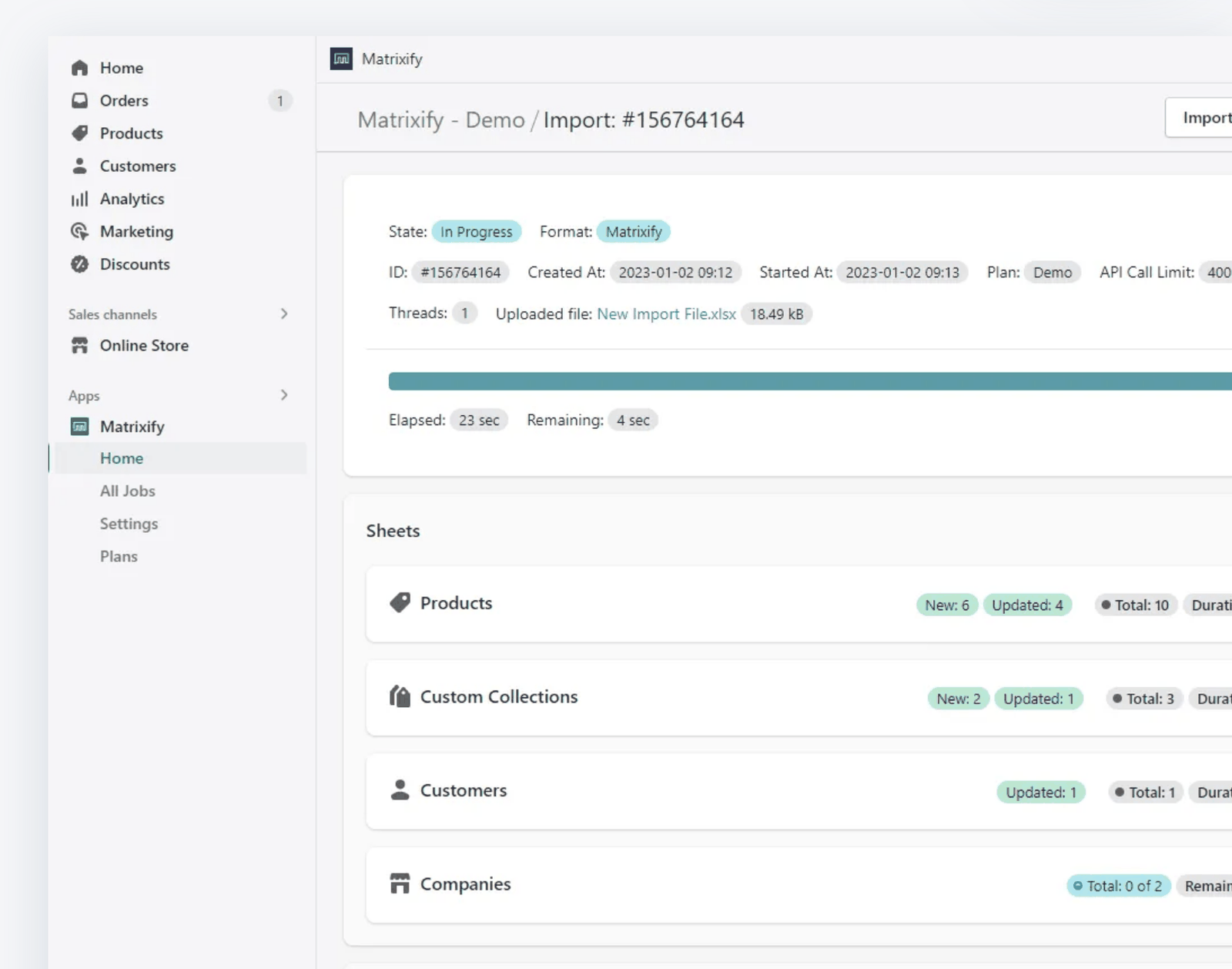
Every import produces a results file with a status for each row, OK or Failed, and a comment explaining any failure. I read it after every job.
What it handles
Matrixify is built by ITissible, a company in Latvia, and was previously called Excelify. Each type of store data becomes a sheet with one row per item and one column per field.
It imports and exports products and variants, smart and custom collections, customers and B2B companies, discounts, orders and draft orders, payouts, pages, blog posts, redirects, files, menus, metaobjects, and metafields.
Files can come from your computer, Google Sheets, Google Drive, Dropbox, an FTP or SFTP server, or a public URL. A supplier who posts a stock file at the same address every night can feed your store on a schedule.
It also handles migrations into Shopify from WooCommerce, Magento, BigCommerce, and Lightspeed, and copies data from one Shopify store to another.
Backups
Shopify does not provide a backup of your store. If a collection gets deleted, a bad import overwrites descriptions, or a new app rewrites your tags, there is no undo in the admin.
Matrixify’s scheduled exports cover this. Set an export of products to repeat weekly, and an export of customers and orders to repeat monthly, and send the files to a Google Drive or Dropbox folder. The same app imports them back if you need them. Setup takes about ten minutes.
Building a routine
My jobs run 10,000 to 30,000 variants at a time, so the routine matters more than any single feature. Filter the export to the products you’re touching, keep only the columns you need, and save that setup as an Export Preset so the next run starts from the same sheet. Edit in the sheet, import with UPDATE, and read the results file. On a file that size the results file is the only way to know every row went through.
Recurring jobs, like a monthly price update or a supplier stock file, get scheduled to repeat so nobody has to remember them.
What it costs
The free Demo plan is capped at ten items per file, which is enough to learn the format. Basic is $20 a month and handles up to 5,000 products in one job. Big is $50 a month and handles 50,000. Enterprise is $200 a month, removes the limits, and adds parallel processing.
Limits apply per job, not per month, so Basic allows as many 5,000-product imports as you need. Scheduling, metafields, and FTP access are on every paid plan. Each paid plan also lets you sponsor one more store, so the same subscription can cover a second brand or a fellow merchant’s store.
A store under 5,000 products fits on Basic. Jobs the size I run, 10,000 to 30,000 variants at a time, need the Big plan level.
The limit that isn’t Matrixify’s
The one limit I plan around comes from Shopify. Once a store has created 500,000 variants, Shopify allows any app to create 10,000 new variants per 24-hour period. The cap only counts creation. Updating existing products and variants, including prices, images, and inventory, is not limited, and Shopify Plus stores are exempt entirely.
When an import of new products hits the cap, Matrixify cancels the job at that point and tells you why. The results file still shows every row up to the stop. Before you run a file you expect to go over, open Options and tick “Continue importing the next day if Shopify daily import limit is reached.” The app then takes the rows that failed on the limit and imports them automatically 24 hours later, repeating until they’re all in. The other two routes are asking Shopify support to raise the limit on your store, or moving to Shopify Plus.
What does this mean for me?
Setting this up takes about an hour.
Install the app and run one product export on the free plan. Open the sheet so you know what the columns look like.
Pick a plan. Schedule a weekly product export and a monthly customer and order export to a Google Drive or Dropbox folder. Check the folder after the first run.
Before your first real import, export the same products and keep that file. Then import a test batch of five or ten products before running the full sheet.
If an agency currently does your bulk price updates or migrations, ask what they use. It’s often this app, and the small jobs are ones you can run yourself.
FAQs
Will it change fields I didn’t include in the sheet?
No. It updates the columns in the file and leaves the rest alone.
Can I undo an import?
There is no undo button. Your undo is the export you took before the import.
Do I need the Enterprise plan for a migration?
Usually not. Limits are per job, so a catalog under 5,000 products migrates on Basic.
Can one subscription cover two stores?
Yes. Every paid plan lets you sponsor one additional store, which works for a second brand of your own or another merchant you want to help.
Why did my import of new products stop partway?
Shopify limits stores that have created 500,000 variants to 10,000 new variants per 24 hours through any app. Shopify Plus stores are exempt, and updates to existing variants don’t count. Tick “Continue importing the next day” in the import Options and Matrixify finishes the job automatically.
Does it work with metafields and metaobjects?
Yes, on every paid plan. Each metafield is a column, so you can fill or correct them in bulk.
Is it hard to learn?
The first import takes some care. The sheets are wide and the column names have to be exact. After that it’s routine, and the documentation is thorough.
The honest read
Matrixify is a powerful tool and it makes bulk work efficient, but you have to understand how it works before you rely on it. The same import that updates ten thousand prices in a few minutes can overwrite values you didn’t mean to touch, wipe variant data and attributes, or delete products outright. I’ve done the first two myself. The protection is a system: keep a scheduled backup, export before every import, put only the columns you’re changing in the file, and use UPDATE rather than MERGE or REPLACE for edits.
The sheet itself needs the same care. Review what you typed or pasted before you import it, because a shifted column or a stray formula goes into your store as data and stays there. Install it this week, schedule the backup first, and build the rest of the routine before you run anything large.
RelatedYour Shopify Catalog Is the Foundation Everything Else Runs OnYour Shopify catalog is the data layer that search, collections, promotions, and every app in your stack runs on. When it's inconsistent, everything downstream is unreliable. RelatedThe Hidden Cost of a Messy Product CatalogA disorganized Shopify catalog breaks search, filtering, merchandising, and app performance. Most merchants do not notice until something downstream stops working.